
You typed your username in, and then the page asked for something else. Your password, maybe. Or it wants you to install an app and sign in with your account. Or there’s a button marked “Human Verification” sitting between you and the fifty followers, and you can’t tell what’s behind it. Or you pressed submit and landed somewhere that isn’t the site you started on.
That pause you’re having is the right instinct. The question isn’t whether the site looks professional — they all look professional. It’s whether what it’s asking for has anything to do with what it’s about to send you. Most of the time you can answer that in about ten seconds, without submitting anything.
What a free followers form actually needs to work
Start here, because everything else measures against it.
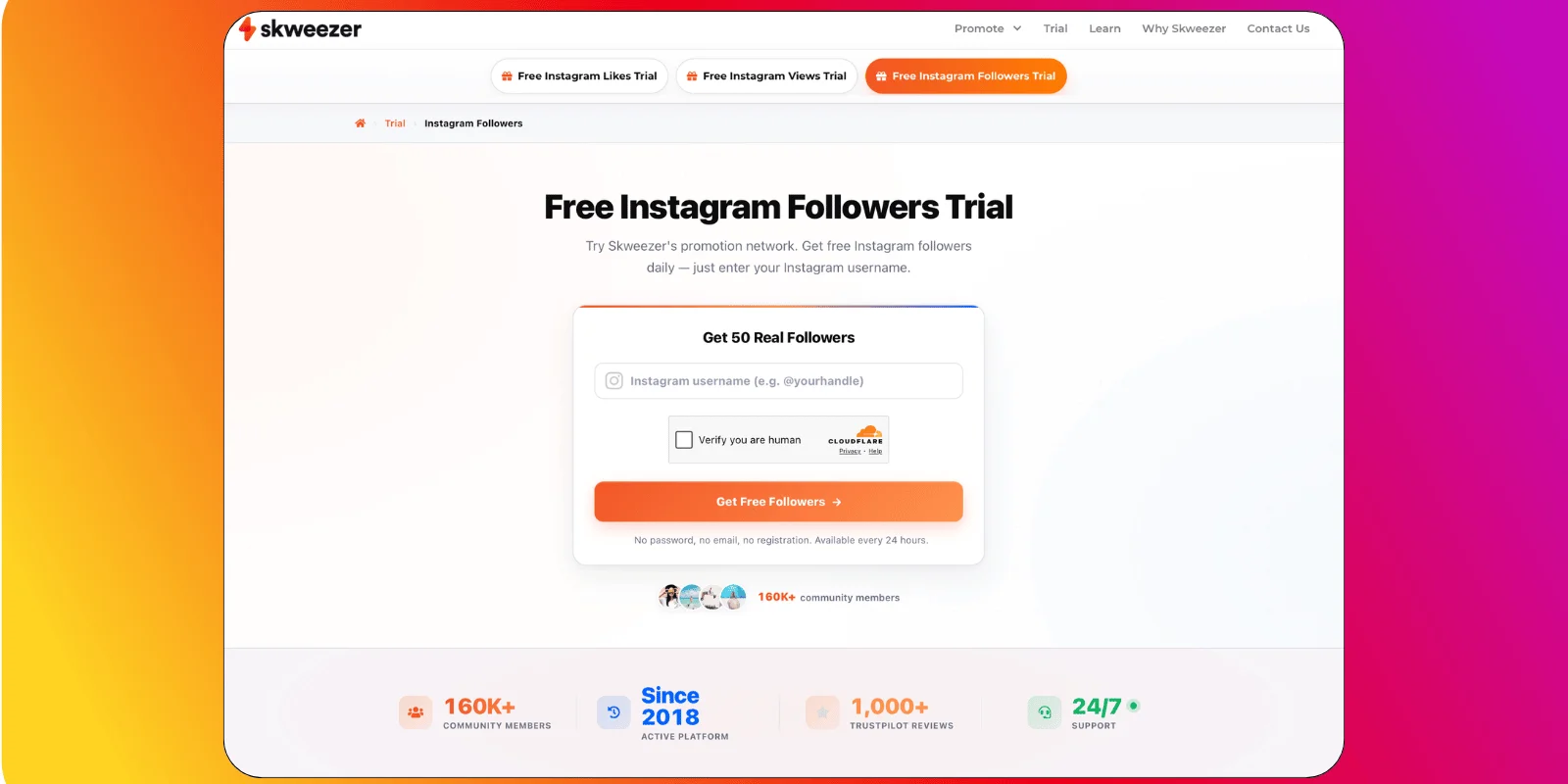
To send followers to an Instagram account, a site needs one thing: the username, with the account set to public. That’s the whole technical requirement. It needs to find your profile, and it needs to be able to see it.
It doesn’t need to log in as you. It doesn’t need to post anything. It doesn’t need your email, your phone number or your date of birth. The accounts doing the following are on their side, not yours — they follow you the same way anyone else would, by opening your profile and tapping the button.
So the test is simple. Every field past the username is asking for something the delivery doesn’t use.
That doesn’t make a site a scam on its own. But it does mean it wants something from you that the job doesn’t require, and it’s fair to want to know what for.
Our own free Instagram followers form asks for a username and nothing else. That isn’t a boast — it’s just what the job takes.
Why a site would ask for your Instagram password
Think about what a password actually hands over.
Whoever has it can post to your account. They can read your DMs and send them. They can change your username. They can change the email address your account recovers to — and once that’s changed, the account isn’t yours in any way that matters, because the reset link goes to them.
That’s not a warning. It’s just the list of what the credential does. Same list whether the person holding it means well or not.
Now put that next to the job. Sending followers to a public profile requires seeing the profile. Nothing on that list is involved. Not one item on it.
Some sites are upfront about why they want it — they’ll tell you the app needs to sign in to work. That’s at least a real answer, and there’s a section below about what that arrangement involves. Others just have a password field sitting under a headline about free followers, with nothing next to it.
Either way, you now know what you’d be handing over, and you know the delivery doesn’t need it. What you do with that is yours.
What “human verification” really is on a free followers site
The button says Human Verification. You press it and get a survey. You finish the survey and there’s another one. You finish that one and it wants your postcode, or your mobile number, or it just loops back to the start.
Here’s what’s happening. The site is paid for each survey someone completes. That’s a real business — there are networks that exist to connect sites like this with advertisers buying survey responses. The site earns the moment you start filling one in.
Which means the survey isn’t a step on the way to your followers. The survey is the product. You’re not a customer being verified. You’re the thing being sold.
It’s also why it never ends. There’s no completion state, because completing it was never the point and there was no delivery waiting on the other side of it. The loop isn’t a bug.
Real verification does exist — a captcha that takes four seconds and lets you through. That’s a different thing, and you can tell them apart without knowing anything technical. One of them finishes.
Signing into an app for free followers: what you hand over
Some sites don’t ask for a password directly. They ask you to download an app and sign into Instagram inside it.
This feels different, and it’s worth being clear about why it mostly isn’t. Signing in through a third-party app grants that app access to your account, and the access lasts until you take it away. Not until you close the app. Not until the followers arrive. Until you go into your settings and revoke it — which most people never do, because most people don’t know it’s sitting there.
What the access covers depends on what you agreed to on the way in. That’s a screen almost nobody reads.
Worth an example, since it’s the name that comes up most. As of 15 July 2026, iDigic’s trial page doesn’t have a form on it. It sends you to a partner app, and the app asks you to sign into your Instagram account. The same page says its free followers come without surveys, passwords or tricks — and that a site asking for your password would be a scammer.
Both of those are on their page, at the same time. We’re not going to tell you which one to believe; that isn’t ours to say. We’re pointing out that a page calling passwords the thing scammers ask for, sitting above a mechanism that asks you to sign in, is worth reading twice. And that these pages change, so look yourself rather than taking our word for it, or anyone else’s.
Check what a free followers site is hosted on
This takes ten seconds and catches a lot.
Before you fill anything in, look at where the button goes. Right-click it, or press it and watch the address bar. A site called something-followers.com that hands you off to a domain with an unrelated name — or a chain of two or three domains in a row — is telling you the form and the delivery aren’t the same operation.
Sometimes that’s ordinary. Payment processors and captcha services live on their own domains, and that’s normal. But a redirect that lands you on a page with a different brand, a different design and a fresh set of fields isn’t a payment processor. It’s a handoff, and you’re the thing being handed.
The address bar is free to look at, and it’s the only part of the page nobody optimised for you.
Already signed in? How to undo it on Instagram
If you’ve read this far and recognised yourself, this is the part that matters. It’s fixable, and it’s quicker than you’d think.
In this order:
- Revoke the app’s access. Settings → Website Permissions → Apps and Websites. Anything in there you don’t recognise, remove it. That cuts the connection straight away.
- Change your password. If you typed it into anything that wasn’t Instagram, change it now — and change it anywhere else you used the same one.
- Check your recovery email and phone number. Settings → Personal details. If either has been changed to something you don’t recognise, change it back. This is the one that decides whether you keep the account.
- Check login activity. Settings → Account Centre → Password and security → Where you’re logged in. Log out anything unfamiliar.
- Then look at what arrived. If a delivery did land, what each site delivers covers how to check what it was made of.
None of this needs a support ticket or a waiting period. It’s five minutes in your own settings. You can also read our guide on how to choose a free Instagram followers website to avoid this from happening again.
You may be interested in the following article: