
 Jules Samuel
Many content creators wonder if their own views count toward their video metrics on Instagram. Understanding this policy helps you accurately track your content performance and avoid confusion about your analytics. Instagram’s view counting system follows specific rules that exclude self-views while maintaining transparency in engagement metrics.
How Instagram defines a video view
Understanding how Instagram defines a video view is fundamental for content creators and businesses tracking their performance. According to Instagram’s official metrics, a view count is registered when a video plays for at least three seconds. This applies whether the video starts through autoplay as users scroll through their feed or when someone manually taps to play.
This three seconds threshold applies consistently across Instagram’s main video content formats, including Reels, video posts, and IGTV. The platform uses this standardized measurement to maintain consistency with other Meta-owned platforms like Facebook.
Here’s what counts toward your view count:
- Autoplay when users scroll past your video
- Manual plays when users tap to watch
- Replays and loops of the same video
- Views from different users on the same device
It’s worth noting that Instagram handles different content types differently. Static images and carousel posts don’t generate views at all – they track likes and impressions instead. Stories operate under a separate system where opening the Story counts as a view, regardless of watch time.
For Skweezer clients, this means every second of your video content matters, especially those critical first three seconds that determine whether your content registers as a legitimate view in Instagram’s analytics.
Do your own views count on Instagram?
The short answer is no – Instagram does not count your own views on your videos and Reels. This policy applies across all content formats, from regular video posts to Reels and IGTV content.
When you watch your own content, whether by refreshing the page, replaying the video, or checking how it looks on your profile, these interactions are automatically excluded from your view count. Instagram’s analytics system recognizes when the account owner is viewing their own content and filters out these self-views to maintain accurate metrics.
This exclusion serves multiple purposes:
- Prevents creators from artificially inflating their video views by repeatedly watching their own content
- Maintains transparency and authenticity in performance metrics
- Provides accurate data for brands and businesses evaluating content success
- Keeps the playing field fair for all users on the platform
Instagram uses sophisticated detection methods to identify self-views, including IP tracking and account behavior analysis. Even if you log out and view your content as a visitor, the platform can still recognize and exclude these views from your official counts view statistics.
This policy aligns with industry standards across social media platforms, where authentic engagement metrics are valued over inflated numbers that don’t represent genuine audience interest.
How replays and loops contribute to view counts
Instagram treats replays and loops as separate views, making them a powerful factor in boosting your video views numbers. Each time your Reel automatically loops or when someone manually replays it, the platform registers this as an additional view.
Here’s how the replay system works for maximizing your social media engagement:
- Every complete loop of your Reel adds one new view to your count
- Manual replays by users count as fresh views each time
- Short videos under 15 seconds benefit most from automatic looping
- Users watching your content multiple times throughout the day generate separate views
The key difference lies in timing and user behavior. If someone watches your video five times in a row, Instagram’s system recognizes each replay. Unlike self-views which don’t count, multiple views from genuine users significantly impact your metrics.
This explains why Reels with compelling hooks or satisfying loops often see exponential growth. A 10-second cooking tip that viewers replay to catch details can accumulate hundreds of views from just a few engaged users. For content creators and brands working with services like Skweezer, understanding this replay mechanism helps craft more engaging, loop-worthy content that naturally increases video count through authentic user interaction.
Do views from Stories and previews count?
When someone shares your Reel or video content in their Instagram Story, you might wonder if those views boost your original post’s view count. The short answer is no – watching your video from within a Story or preview window does not contribute to your original content’s Instagram views.
Here’s what happens when your content appears in different contexts:
- Story shares or reposts don’t add to your original view count
- Preview thumbnails in search results or explore pages don’t count as views
- Embedded videos in other users’ Stories remain separate from your metrics
- Only direct engagement with your actual post registers as a view
This system protects the integrity of view count data across social media platforms. While Story shares don’t directly increase your Instagram views, they do provide valuable exposure and can drive traffic to your profile.
To convert Story views into actual video views, create compelling preview content that encourages users to tap through to your original post. A strong hook or teaser in the shared Story can motivate viewers to visit your profile and watch the full video content, which does count toward your official view metrics.
Comparing view metrics across Instagram formats
Understanding how Instagram views work across different content formats helps you track performance accurately. Each format follows its own set of rules for counting and displaying view metrics.
Reels offer the most straightforward approach to view tracking. Each time your Reel starts playing counts as one view, and the view count appears publicly below the video. When users scroll through their feed and your Reel auto-plays, that registers immediately as a view. Replays and loops add to your total count, making Reels particularly effective for boosting engagement numbers.
Stories operate differently from other video content on the platform. A view gets counted the moment someone opens your Story, regardless of how long they watch. Unlike Reels, Story views remain private – only you can see who viewed your content through your Instagram analytics.
Standard video posts and IGTV content require approximately 3 seconds of watch time before registering a view. These videos display public view counts similar to Reels, but the initial threshold differs slightly.
| Content Type | View Threshold | Public Count | Replays Count |
| Reels | Instant play | Yes | Yes |
| Stories | Story opens | No | Yes |
| Video Posts | ~3 seconds | Yes | Yes |
Are views counted differently for business or creator accounts?
Instagram applies the same view-counting logic to all account types. Whether you’re running a personal account, business profile, or creator account, the platform counts views identically. A view is a view, regardless of your account status.
The key difference lies in access to analytics data, not in how views are measured. Business and creator accounts receive comprehensive Insights that show detailed performance metrics for your content, while personal accounts have limited access to this data.
Here’s what business and creator accounts can access through Instagram Insights:
- Detailed view counts and reach metrics
- Audience demographics and engagement patterns
- Peak activity times for your followers
- Content performance comparisons
- Story completion rates and interactions
For brands working with services like Skweezer, this data becomes invaluable for optimizing content performance and understanding audience behavior. The view counting mechanism remains consistent across all formats on your Instagram account, but the depth of analytics available depends on your account type.
This standardized approach means that whether you’re a small business owner or an established influencer, Instagram treats your view counts with the same measurement criteria, maintaining fairness across the platform’s diverse user base.

How Instagram prevents fake or inflated views
Instagram uses sophisticated machine learning algorithms to detect and filter out inauthentic activity on the platform. These systems analyze user behavior patterns, including how quickly someone follows and unfollows accounts, their interaction frequency, and viewing habits across multiple posts.
The platform’s anti-fraud measures examine several key factors when validating view counts:
- Device fingerprinting to identify suspicious activity from the same source
- IP address monitoring to catch artificial inflation attempts
- User engagement patterns that distinguish real users from automated systems
- Time intervals between interactions to spot unnatural behavior
When you watch your video multiple times in quick succession, Instagram excludes self-views to maintain data integrity. The system recognizes repetitive viewing from the same account and filters these interactions out of public metrics.
For businesses working with growth services like Skweezer, this protection means that only authentic engagement from real users contributes to video count statistics. Instagram’s detection systems have become increasingly sophisticated, making it nearly impossible to artificially inflate views without risking account penalties or reduced organic reach.

Why Instagram views matter for content performance
Understanding the significance of Instagram views is fundamental for anyone serious about social media success. Views serve as the primary indicator of how well your content captures and maintains audience attention, directly influencing Instagram’s algorithm decisions.
When video views accumulate quickly, Instagram interprets this as a signal that your content resonates with users. This positive feedback loop triggers the platform to show your posts to a broader audience, expanding your reach organically. The relationship between views and algorithmic distribution means that higher view counts often translate to increased visibility across the platform.
View rate and watch time add another layer of content performance measurement. Instagram tracks whether viewers watch beyond the first three seconds through view rate metrics, while watch time reveals how long people stay engaged with your videos. These metrics help the algorithm determine content quality and decide whether to promote it further.
For businesses and creators working with services like Skweezer, understanding these performance indicators becomes even more valuable. Strong view metrics demonstrate authentic engagement, which supports sustainable growth strategies that align with Instagram’s preference for genuine user interaction over artificial inflation.

How to check and analyze your Instagram views
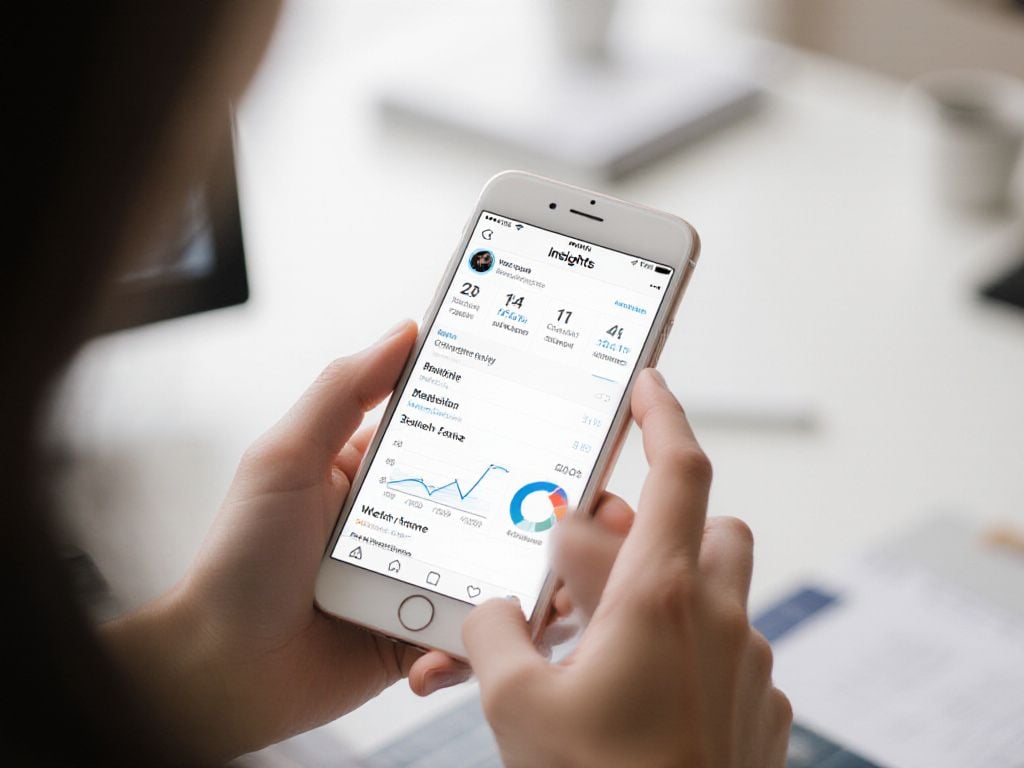
Accessing your view count data on Instagram is straightforward through Instagram Insights, available for business and creator accounts. Navigate to your profile, tap the three-line menu, and select “Insights” to access your analytics dashboard.
For individual posts, tap any video content and select “View Insights” to see detailed performance data. Key metrics include:
- Total views – the number of times your video was watched
- Reach – unique accounts that saw your content
- Impressions – total times your content appeared in feeds
- Average watch time – how long viewers stayed engaged
- View rate – percentage of viewers who watched beyond 3 seconds
The View Rate metric is particularly valuable for understanding content quality. A high view rate indicates your video content successfully captures attention beyond the initial scroll. Compare this across different posts to identify what resonates with your Instagram audience.
For comprehensive analysis, review your weekly and monthly trends in the main Insights dashboard. This helps identify patterns in viewer behavior and optimal posting times. Social media managers should pay special attention to the relationship between views and engagement rates, as this combination drives algorithmic distribution and overall account growth.
How Instagram views compare to other platforms
Understanding how different social media platforms count views helps you make sense of your video performance across channels. Each platform has its own rules, and these differences can explain why the same content might show varying view counts.
Instagram follows a 3-second rule for video views, meaning a user must watch for at least 3 seconds before it registers as a view. Facebook uses the same threshold, making these platforms consistent with each other. TikTok takes a more lenient approach with just a 1-second rule – as soon as the video starts playing, it counts as a view. YouTube sets the highest bar with approximately a 30-second threshold, though the exact timing isn’t officially confirmed.
| Platform | View Threshold | Replays Count | Self-Views Count |
| 3 seconds | Yes | No | |
| 3 seconds | Yes | No | |
| TikTok | 1 second | Yes | No |
| YouTube | ~30 seconds | Limited | No |
All major platforms exclude self-views to prevent artificial inflation. When comparing your content performance across platforms, remember that TikTok numbers will typically appear higher due to the lower threshold, while YouTube views represent more engaged viewing time.
Impact of reach vs views on Instagram strategy
Understanding the distinction between reach and views instagram metrics helps you make smarter decisions about your content strategy. While views count every single play of your content, reach measures the number of unique accounts that actually saw it.
Here’s how these metrics work together to evaluate content performance:
- High views with low reach means your existing audience loves rewatching your content
- High reach with low views suggests your content appears widely but doesn’t engage viewers
- Balanced metrics indicate healthy content distribution and audience engagement
For example, if your Reel gets 10,000 instagram views but only reaches 2,500 accounts, you know those viewers found your content compelling enough to watch multiple times. This signals strong engagement potential.
Smart content creators track both metrics to understand their true audience impact. A Reel with 5,000 views reaching 4,800 accounts tells a different story than one with 5,000 views reaching 1,200 accounts – the second scenario shows much stronger replay value.
At Skweezer, we help brands analyze these patterns to create more engaging content that naturally boosts both reach and views through authentic audience connection, never artificial inflation.

Conclusion
Instagram’s view counting system excludes your own views to maintain authentic metrics across all content formats. Understanding how views, reach, and replays work together helps you create more engaging content and accurately measure performance. Use these insights to develop better content strategies that connect genuinely with your audience.
https://www.youtube.com/watch?v=ijp8SUrTf78
Frequently Asked Questions
Does Instagram track your own views on your posts?
Instagram’s algorithms are designed to filter out self-views on posts and reels. However, your own story views count as impressions but not toward reach metrics. Profile visits from your own account aren’t counted, though views from other accounts you own will be registered.
Are your own Instagram video views counted?
Yes, your own video views are counted on Instagram. Each time you watch your own video for at least three seconds, it registers as a view. While repeated self-views increase the view count, the reach metric still shows only one unique person.
Does watching your Instagram story multiple times increase views?
Instagram counts unique viewers only, not multiple views from the same person. Rewatching your own story multiple times still appears as just one view in the total count, though it may affect your position on the viewer list.
Are your own story views included in Instagram analytics?
Yes, your own story views are included in the total view count. Instagram distinguishes between “views” (total watches) and “reach” (unique viewers). Business and creator accounts can track these metrics through Instagram Insights to monitor their story performance accurately.